New Trending Merry christmas image prompt google gemini Prompt
As we celebrate Christmas Day 2025, the tradition of holiday photos has undergone a digital transformation. Ordinary snapshots are no longer just memories; they are canvases for imagination. Google’s Gemini (powered by the Nano Banana model) has become the center of this trend, making hyper-realistic festive editing accessible to everyone.
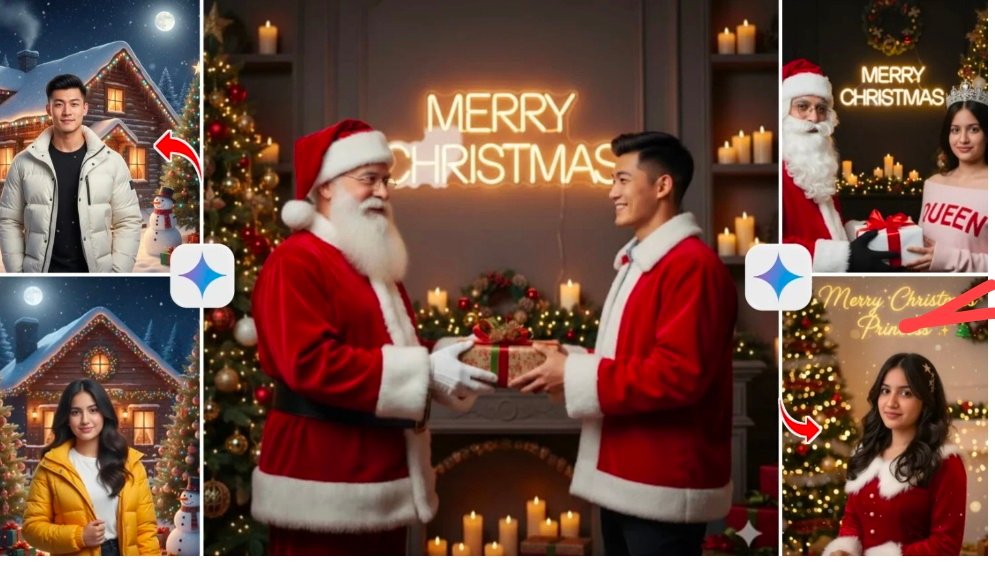
diting is the biggest trend of the season and how the ecosystem is evolving.
🎄 Why “Happy Christmas Day” AI Editing is Trending
The explosive popularity of AI editing this year boils down to two factors: Professionalism and Ease of Use.,
“Image Gernating Prompt
Use the uploaded photo as the ONLY face reference and keep the face EXACTLY the same (100% identityaccuracy).Scene:Warm luxury Christmas studio with fairy lights,candles,and a decorated Christmas tree.Bold glowin glowing “MERRY CHRISTMAS” text in the background,sharp and readable.LSanta Claus (CRITICAL):Santa Claus must be fully visible,crystal clear,andsharp.Classic red Santa suit with white fur trim,detailed beard and glasses.Santa must be in the same focus as the boy (no blur).Outfit:Boy wearing a red Santa-style winter jacket and dark pants,realistic fabric texture.Pose:Santa clearly handing a Christmas gift to the boy,both hands visible,natural interaction.Lighting & Quality:Soft warm lighting on both faces,natural skin texture.DSLR photo,85mm lens,balanced depth of field.Ultra-realistic,8K,HDR.Rules:Face identity must match exactly.Santa clarity is mandatory.”MERRY CHRISTMAS” text must be clear.No cartoon,no anime, no stylized output.
Use The Best Girl Crismas Image Prompt
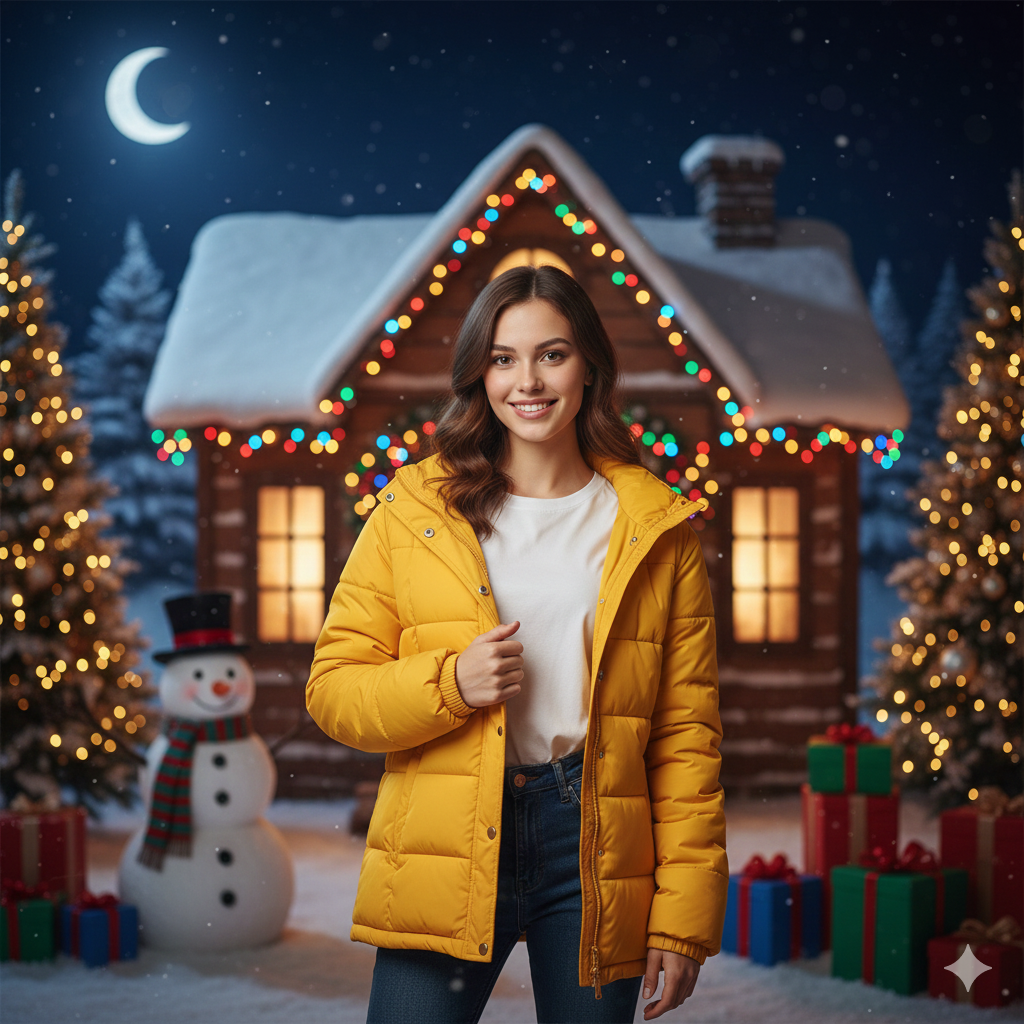
Ultra-realistic high-quality Christmas portrait of the same girl’s real face; first,a perfectly framed half-body mid-shot with the full bright yellow winter jacket visible and a little part of her pants; also,she wears a white t-shirt under the jacket and stands straight in a stylish confident pose holding the jacket with one hand; next,she looks straight into the camera with a soft sweet smile; meanwhile,snowy Christmas cottage with colorful lights in the background,shining moon in the night sky,and green Christmas trees lit on both sides; finally,add a snowman and colorful gift boxes for a lively,realistic scene.
Use The prompt and Gernating the best Crismas Image
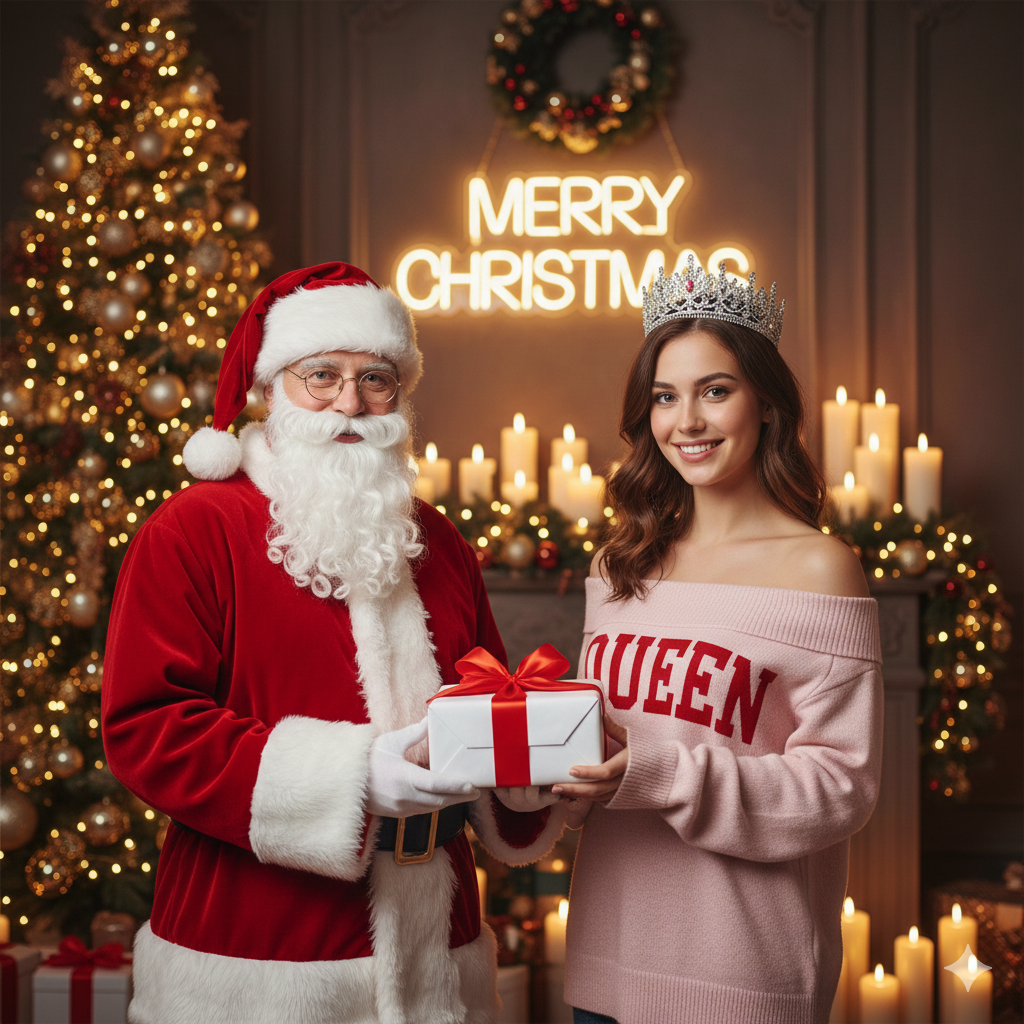
Use the uploaded photo as the ONLY face reference and keep the face EXACTLY the same (100% identity accuracy).Do not change or beautify the face.Scene:Luxury Christmas indoor setup with warm golden fairy lights,
candles,
and a decorated Christmas tree. Clear glowing neon text “MERRY CHRISTMAS” centered in the background,
sharp and readable.Outfit:Young woman wearing a silver crystal queen crown.Light pink off-shoulder winter sweater with “QUEEN” written clearly in red.Pose:She is holding a white gift box with a red ribbon.Santa Claus stands beside her in a classic red outfit,
clearly visible,
giving the gift.Lighting & Quality:Soft cinematic Christmas lighting,
natural skin texture.DSLR photo,
85mm lens,
balanced focus on bothfaces.Ultra-realistic,
8K,
HDR.Rules:Face must match exactly.Santa and “MERRY CHRISTMAS” must be clear.No cartoon,
no anime,
no illustration.
2 different imge
What is Google Gemini AI Photo Editing?
Google Gemini is a cutting-edge AI system designed to understand complex image prompts, realistic lighting, and background depth. When it comes to holiday editing, it excels at:
Natural Decorations: Seamlessly adding trees, wreaths, and fairy lights.
Atmospheric Effects: Creating realistic winter snowfall and cozy glows.
Face Fidelity: Keeping your facial features 100% original and recognizable.
Detail Enhancement: Improving skin textures and fabric details on outfits.
Cinematic Lighting: Applying professional holiday-themed color grading.
By prioritizing face accuracy, Gemini ensures your Christmas edits look like real photographs rather than stylized digital art.
How to Create a “Happy Christmas” AI Photo Using Gemini
You can transform a simple selfie into a professional-grade holiday portrait in just a few simple steps.
Simple Steps to Follow:
Upload a Clear Photo: Start with a high-resolution photo where your face is clearly visible.
Write a Detailed Prompt: Describe the specific Christmas scene you want.
Specify the Essentials: Mention your desired outfit (e.g., a velvet jacket), the background (e.g., a snowy cottage), and the lighting.
Prioritize Realism: Always include an instruction to “Maintain 100% face identity” for natural results.
Generate & Save: Review the AI-generated options and download your favorite 8K HDR result.
Pro Tip: A well-structured prompt is the key to professional results. Even a basic selfie can become a cinematic masterpiece with the right description!
Would you like me to help you write a specific, high-detail prompt for your next Christmas photo
 WhatsApp